.

Showing posts with label Media Player. Show all posts

Mar 31, 2010

Activate Media Player control Buttons in laptop Touchpad

touchpadThere are lot of features that exist in the small touchpad, which is used as primary device to control mouse on laptop. Physically there are two buttons which are used for left and right clicks. But virtually there are four more buttons on touchpad itself (at each corner).

Well, these four buttons are not visible but can be used for many applications like to control sound, launch application, control browsing, minimizing & maximizing windows and so on. I thought the best way it can be used in controlling Media Players. This is because, let us suppose we are doing some work and using mouse, at the same time we can also control media player very quickly by simply tapping at corners of touchpad.

Jul 23, 2009

YouTube testing 3D stereoscopic video uploads !

In last 9-10 years Google brought us Gmail, Google News, and AdSense, to name just a few. The latest innovation to come out of a Googler's one-day-a-week personal project time is 3D stereoscopic videos in YouTube.

How it works ?
The concept is simple; upload a video that contains both the left eye and right eye frames side-by-side. To make your video viewable as in 3D, tag it with "yt3d:enable=true" as well as "yt3d:aspect=3:4", setting this one to the actual aspect ratio of your video.

Check out above site for details on working.

The YT3D tag will enable a drop-down menu under your video that gives the viewer the option to view it using various 3D technologies, from Red / Cyan glasses to simple Parallel or Cross-eyed modes that don't require special glasses to view. The video is manipulated for each of these various viewing modes on the fly, so you can switch between instantly.

The news is quite impressive. So, what do you think about this product ? Let me know in comment.

Jan 23, 2009

How to browse the iTunes store without installing iTunes !

Apple's iTunes store may be a great place to find music, movies, or iPhone apps. But there's one little catch: You can only browse the iTunes store if you have installed the iTunes application on your Windows or Mac computer. If you're using Linux, or just don't feel like installing the app until you're sure there's something you want to download, you're out of luck.

Or rather, you were out of luck. But not anymore. Because a third paty developer has put together a web-based tool that lets you browse iTunes store listings without installing iTunes. The App Store is hosted on Google App Engine, and lets you browse by category and view product descriptions and prices.

There's no integrated search function. And you can't actually download files from the utility. But if you find what you're looking for you can always click the "view in iTunes" button which will prompt you to install iTunes so you can grab your files.

Source: Digital Inspiration

Jan 13, 2009

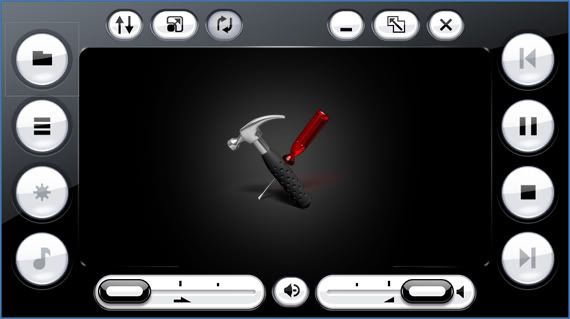
Download Official Microsoft Brilliant Black Skin for Windows Media Player

Here is an official Microsoft skin for Windows Media Player. Its called "Brilliant Black". Actually this skin is a part of Microsoft Touch Pack for UMPC OEM (Ultra Mobile Personal Computer, Codenamed Origami).

It works in Windows XP and Vista and Windows 7 too. You can use it in WMP 9 and higher versions.

Just download the ZIP file, extract it and double click on "Brilliant Black.wmz" file. It'll automatically install and apply the skin.

Download it from here: mediafire.com

Jan 11, 2009

Use your PSP as a universal remote

Hackers and home brew gamers rejoice! PSP Updates has released an app that turns your PSP into a universal remote.
One of the most requested applications for the PSP has finally become a reality! Thanks to Massa84 you can now turn your PSP into a universal remote capable of controlling thousands of devices!

The catch - you've got to be using the 1.50 firmware. After you've got it installed, your new PSP universal remote is said to support every remote supported by LIRC (Linux Infrared Remote Control), a package supporting almost 1800 remotes.

I don't have a PSP, but if I did I know what I'd be doing tonight. If you give this a try, let me know how it works in the comments, or send an email to tips.

Source: PSP Updates